
Documentation / 1.12.0
Answer without thinking first
Ask a reasoning model to answer straight away, in a chat or from your own code. It's much faster for questions that don't need careful thought.
Some models think before they answer: they work through a problem first, then write the answer. That helps with math, logic, and plans with several steps, but it makes every answer slower to start, even a simple one.
In a chat, and from the API and toskarctl, you can ask a reasoning model to skip its thinking. It answers straight away. A model that doesn't think is unaffected.
What you need
- Toskar 1.12 or later in a chat; 1.11.2 or later from the API and toskarctl.
- A reasoning model, such as a Qwen 3 or a DeepSeek R1 distill. Models marks them Reasoning, and Choose and manage models explains how to install one.
- For the API from another computer, an API key, as Connect another app through the API explains.
When to turn thinking off
| Turn it off for | Leave it on for |
|---|---|
| Quick facts, short rewrites, and replies | Math, logic, and puzzles |
| Labeling or sorting text in a script or CI | Plans and decisions with several steps |
| Anything where waiting matters more than depth | Questions where a wrong answer is costly |
Tip: In the app, Model Auto already keeps quick questions off reasoning models. Thinking off is for when you've chosen one, or call one from your own code.
Tip: Some smaller reasoning models in the catalog, such as Qwen 3.5, start with Thinking off: a long think can leave them no room to write the answer. Set Thinking to On in the chat's options when you want one to think, and Toskar remembers that choice for those models separately. From the API, any reasoning_effort other than none asks them to think.
In a chat
- Choose a reasoning model in the Model menu, such as a Qwen 3.
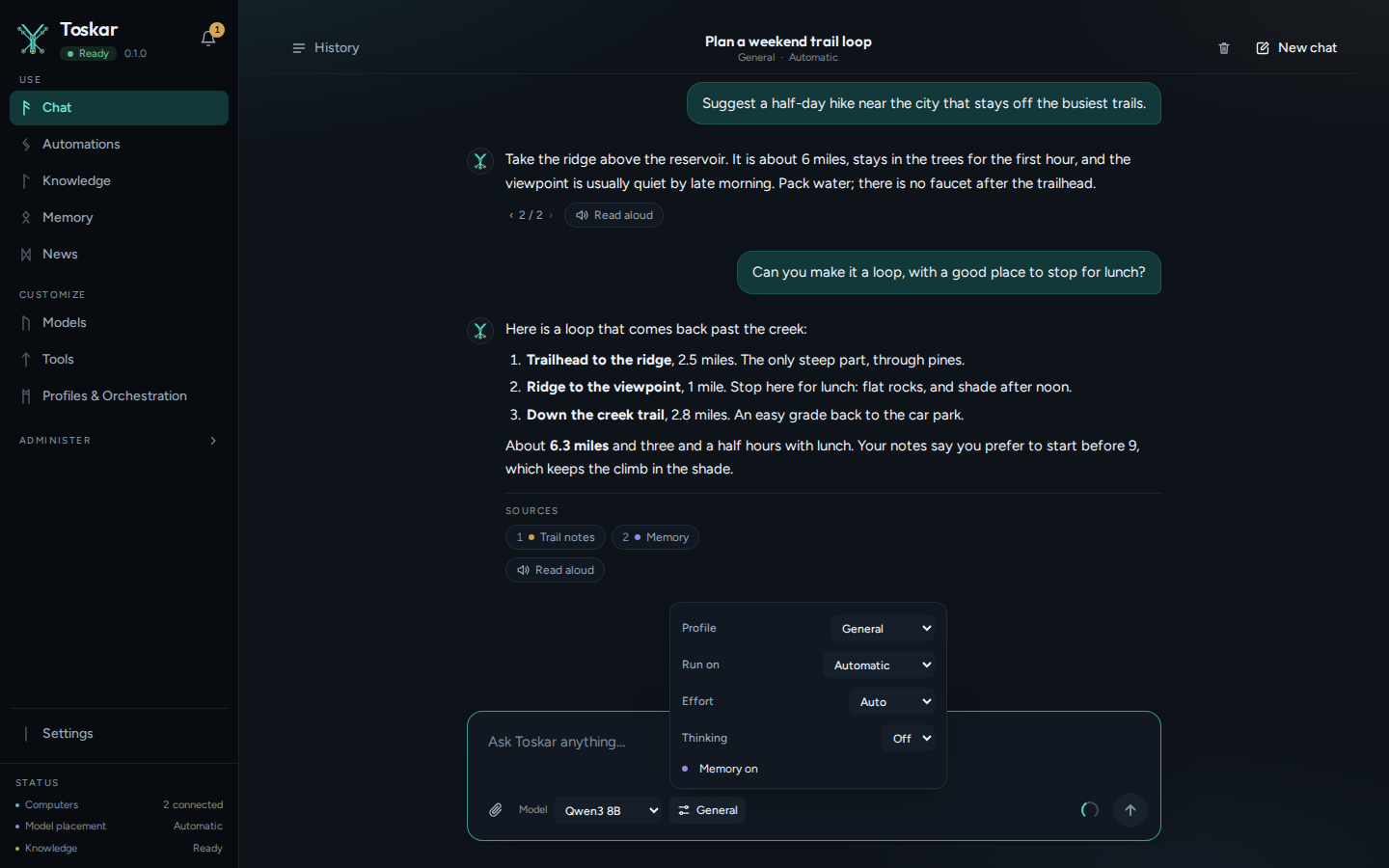
- Open the chat's options with the button beside the Model menu.
- Set Thinking to Off. Toskar remembers your choice for the chats you start next.
In the app on your phone or tablet, a chat with your computer has the same choice: tap the button beside the model to open the chat's options, and Thinking is below Effort when the chat's model thinks before it answers.
From the command line
Add --no-thinking to toskarctl ask.
toskarctl ask --no-thinking "What is 17 times 23?"From the API
Send "reasoning_effort": "none" with a request to /v1/chat/completions. It also sets Effort to Fast. In model, put a reasoning model's id from /v1/models, or a profile, as here.
curl -s http://127.0.0.1:7331/v1/chat/completions \
  -H "Content-Type: application/json" \
  -d '{
    "model": "profile:general-assistant",
    "reasoning_effort": "none",
    "messages": [{"role": "user", "content": "What is 17 times 23?"}]
  }'
You’ll see something like:
{"choices":[{"finish_reason":"stop","index":0,"message":{"content":"…","role":"assistant"}}],…"object":"chat.completion",…"completion_tokens_details":{"reasoning_tokens":0}…}The answer is in choices[0].message.content. reasoning_tokens is 0 when the model didn't think.
Toskar uses the model's own switch for thinking where its chat template has one, as Qwen 3's does. Otherwise it gives the model no room to think, as for DeepSeek R1's distills, which always think. It works the same when the model runs on a paired computer.
A model's thinking fills the same room in its context window as its answer. So Toskar keeps more room free for a model that thinks first, and less when thinking is off, leaving more of the window for the conversation.
Troubleshooting
| What you see | What to do |
|---|---|
| flag provided but not defined: -no-thinking | Update Toskar to 1.11.2 or later. |
| Answers are no faster | The model may not be a reasoning model, so there was no thinking to skip. Or it was loading into memory, which happens once. |
| The answer is wrong on a harder question | Leave thinking on for that question. Get more careful answers has other ways to give it more care. |
| 400 with the code CONTEXT_TOO_LONG | The messages and max_tokens are more than the model can read at once. Ask for fewer max_tokens, or send fewer or shorter messages, as the error's param says. |
These pages describe Toskar 1.12.0. Download 1.12.0 and its release notes ↗ · Need help? Report a bug or request a feature ↗