
Documentation / 1.13.0
Connect knowledge
Give Toskar your own files and data, such as price lists, policies, notes, a database, or a web API, so its answers use them and show where they came from.
Knowledge keeps catalogs, prices, policies, and documents searchable. When a profile or a specialized AI uses a source, the passages that match each question are added to its answers, and the answer cites them. Changing the data changes the next answer. Nothing is retrained.
A chat looks in a source only when its profile uses it, so each source on the Knowledge page says which profiles use it. A source no profile uses says so and offers Use with, which adds it to the profile chats start with. With nothing connected yet, the page explains this in three steps and shows what people connect; How it works shows the same later.
Connect knowledge has four kinds of source. File or folder reads files on this computer in place and reindexes them when they change. Upload or paste keeps a copy of what you give it. Database runs one read-only SELECT query on a SQLite file, PostgreSQL, or MySQL; each row becomes a passage, and Toskar never changes the database. Web API fetches a URL that returns JSON, CSV, or text; a list of items becomes one passage per item. Database and Web API sources are fetched again when a question uses data older than the interval you choose, from 5 minutes to a day, and passwords and tokens are stored apart and never shown again.
PDF, Excel, CSV, TSV, JSON, JSONL, Markdown, text, and HTML files work. Each Excel sheet is a table, and each PDF page is cited by its number. Scanned PDFs are read with text recognition; the first one installs the recognizer, about 110 MB, on this computer.
Search matches the words in a question. Install an embedding model, such as Nomic Embed Text v1.5 from Models, and it also matches meaning, so a question about a warranty finds a passage about a guarantee. A source then says when it is searchable by meaning. Try a question shows which passages a question would bring into a chat. Mark a source This computer only to keep chats that use it on this computer. Reindex reads a source again now.
- Open Knowledge and choose the kind of source in Connect knowledge, or choose an example under What people connect.
- Choose the file, folder, or database, paste the content, or enter the URL.
- Under Use it in chats with, keep the profiles whose chats should look in it. The profile chats start with is checked already. Then Connect.
- Use Try a question to check what it finds. To add a source to a profile later, use Use with on the Knowledge page or open Profiles; to add it to a specialized AI, use the Train page.
What you need
Connect a file or folder
- Open Knowledge.
- Under Connect knowledge, choose File or folder, and enter its path on this computer. Upload or paste keeps a copy of what you give it instead.
- Under Use it in chats with, keep the profiles whose chats should look in it. The profile chats start with is checked already.
- Choose Connect. The source shows how many passages it has, and when it was read.
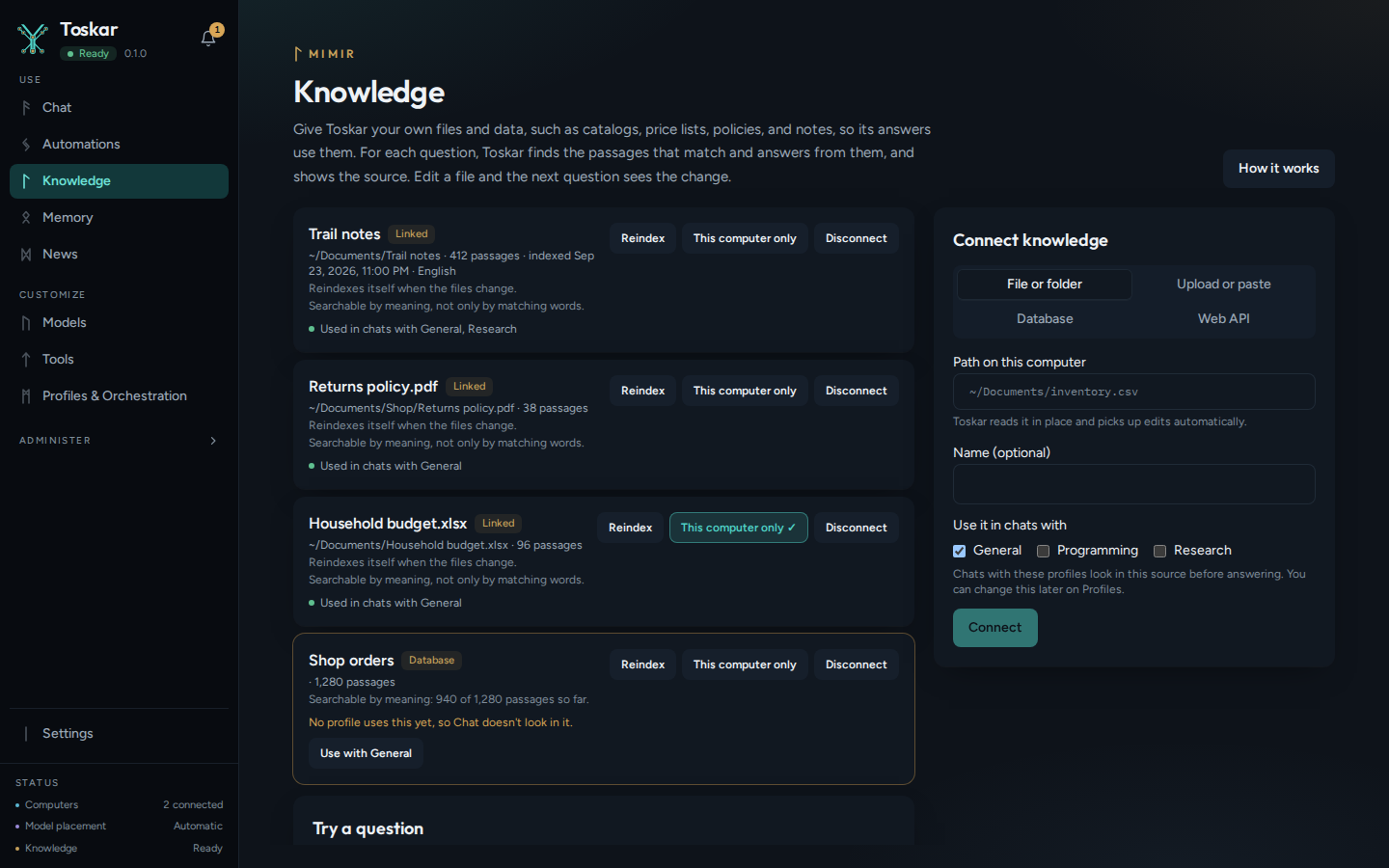
PDF, Excel, CSV, TSV, JSON, JSONL, Markdown, text, and HTML files work. Each Excel sheet is a table, and each PDF page is cited by its number. A scanned PDF is read with text recognition, which installs itself the first time, about 110 MB.
See it in an answer
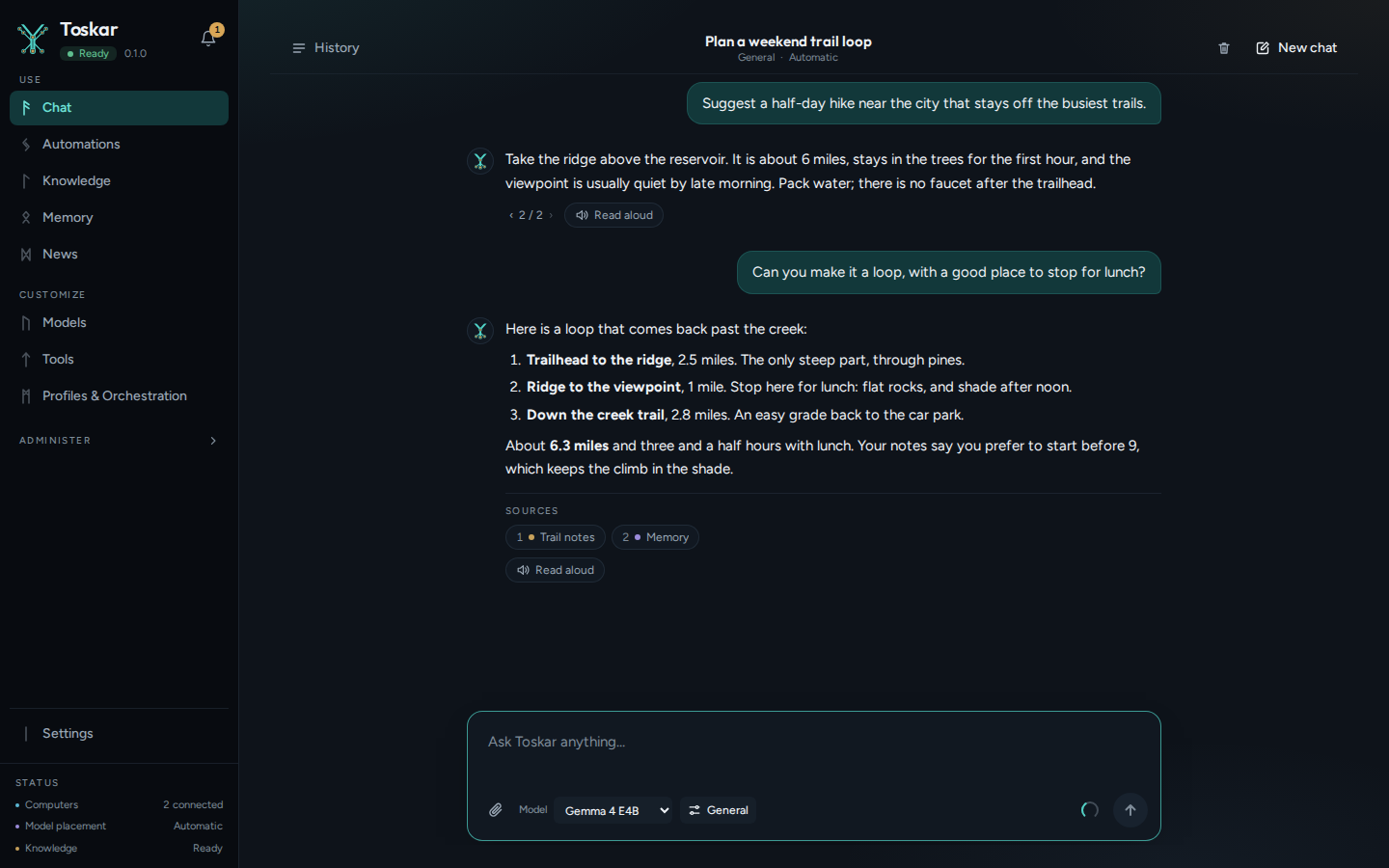
A chat looks in a source only when its profile uses it. The passages that match each question go into the answer, and the answer lists them under Sources.
Try a question, below your sources on the Knowledge page, shows which passages a question would bring into a chat, without asking a model.
Connect a database
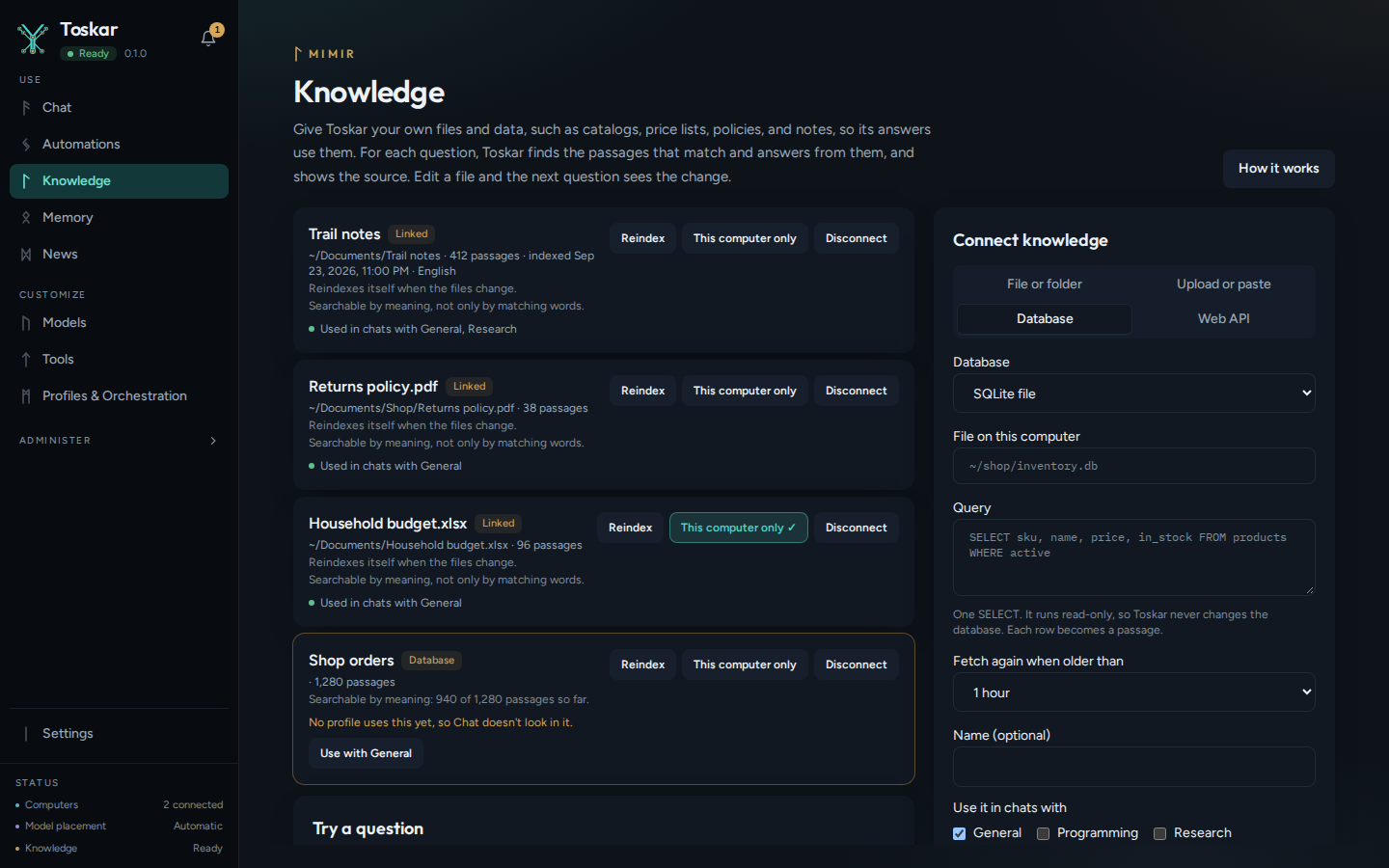
- Under Connect knowledge, choose Database.
- Choose SQLite file and enter the file's path, or choose PostgreSQL or MySQL and enter the connection string.
- Enter one SELECT query. Each row it returns becomes a passage.
- Choose how often to fetch it again, from 5 minutes to a day, then Connect.
Tip: Give Toskar a database account that can only read, and a query that returns only what answers need. Passwords are stored apart from Toskar's database and never shown again.
Connect a web API
A web API source fetches an address that returns JSON, CSV, or text, such as a product catalog or a status page. A list of items becomes one passage per item. If the list is inside the response, give its path, such as data.products. Headers, such as one with a key, are stored apart and never shown again.
You can connect one through the API too. Here's one built from Toskar's own list of models, so you can try it on any computer:
curl -s http://127.0.0.1:7331/api/v1/knowledge/sources \
  -H "Content-Type: application/json" \
  -d '{"kind": "api", "name": "Models", "remote": {"url": "http://127.0.0.1:7331/v1/models", "items": "data", "refresh_minutes": 60}}'
You’ll see something like:
{…"name":"Models","kind":"api","status":"ready","chunk_count":…}Then search it, as Try a question does:
curl -s http://127.0.0.1:7331/api/v1/knowledge/search \
  -H "Content-Type: application/json" \
  -d '{"query": "research"}'
You’ll see something like:
[{…"source_name":"Models"…"body":"id: profile:research…"…}]A source made this way is used by no profile until you add it, with Use with on the Knowledge page, or profile_ids when you make it.
Keep it fresh
| Source | When Toskar reads it again |
|---|---|
| File or folder | When the files change, by itself |
| Upload or paste | When you change it on the Knowledge page |
| Database or web API | When a question uses data older than the interval you chose |
| Any source | When you choose Reindex |
Changing the data changes the next answer, and nothing is retrained. The index stays on this computer until a source changes, is reindexed, or is disconnected. Disconnect asks first, then removes the source and its passages, and leaves your files and database as they were.
This computer only keeps the chats that use a source on this computer, never on a paired one (Computers).
Limits
- Without an embedding model, search matches the words in a question, not their meaning.
- A database source runs one query, and a web API source one address. Make another source for more.
- A passage is part of a file, so a question that needs a whole long document at once may miss parts of it.
Troubleshooting
| What you see | What to do |
|---|---|
| "No profile uses this yet, so Chat doesn't look in it" | Choose Use with on the source, or add it in Profiles |
| An answer doesn't use a source | Use Try a question to see what it finds, and check that the chat's profile uses the source |
| A question about a guarantee doesn't find a passage about a warranty | Install an embedding model, such as Nomic Embed Text v1.5, so search matches meaning |
| A database source won't connect | Check the path or connection string, and that the query is one SELECT |
| The data in answers is out of date | Choose Reindex, or a shorter interval for a database or web API source |
These pages describe Toskar 1.13.0. Download 1.13.0 and its release notes ↗ · Need help? Report a bug or request a feature ↗