
Toskar Pro
Private AI on your computer, in one app.
Toskar Pro runs AI models on your Mac or Windows PC, so your chats and files stay on it. It picks models that fit, installs them, and connects your other computers and devices.
For anyone with a computer: Toskar Core and the app, in one install from the store.


Free to try, then $24.99 once. No subscription.
What it does
What you get
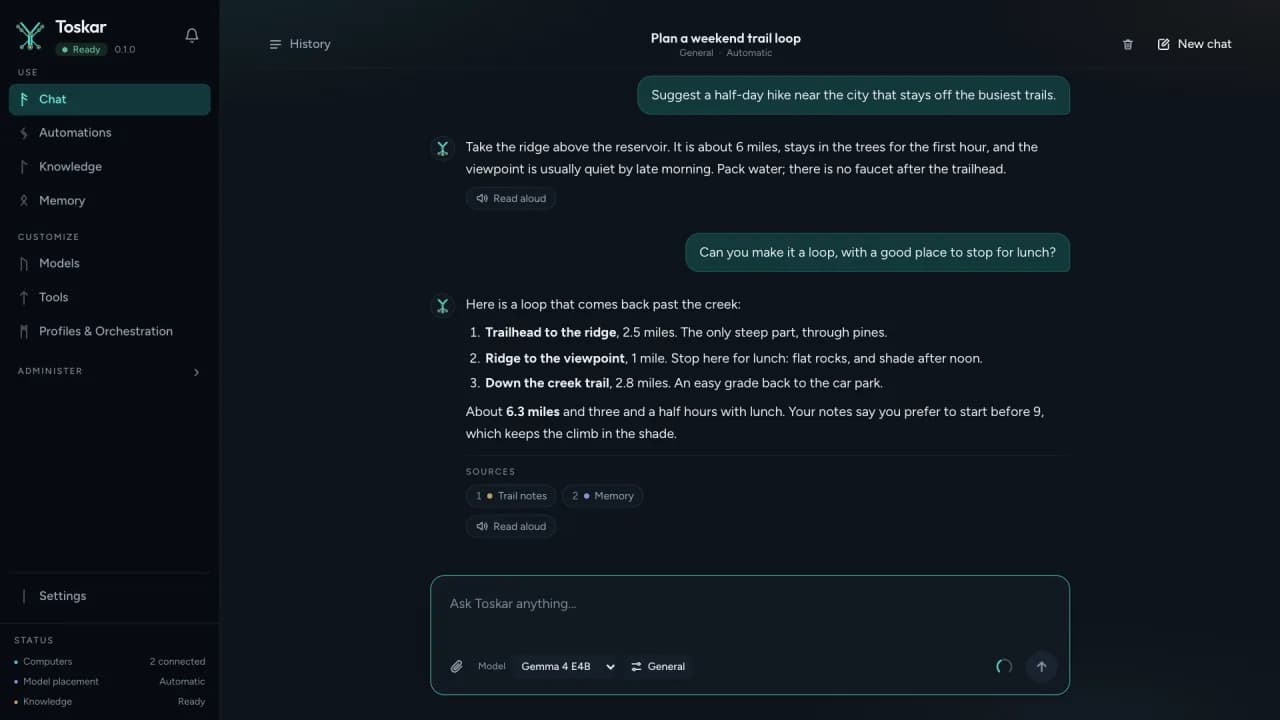
A private chat with models that fit
It looks at your computer's processor, memory, and graphics, recommends models that fit, and installs them. Answers stream in and show their sources, and nothing goes to a hosted AI service.

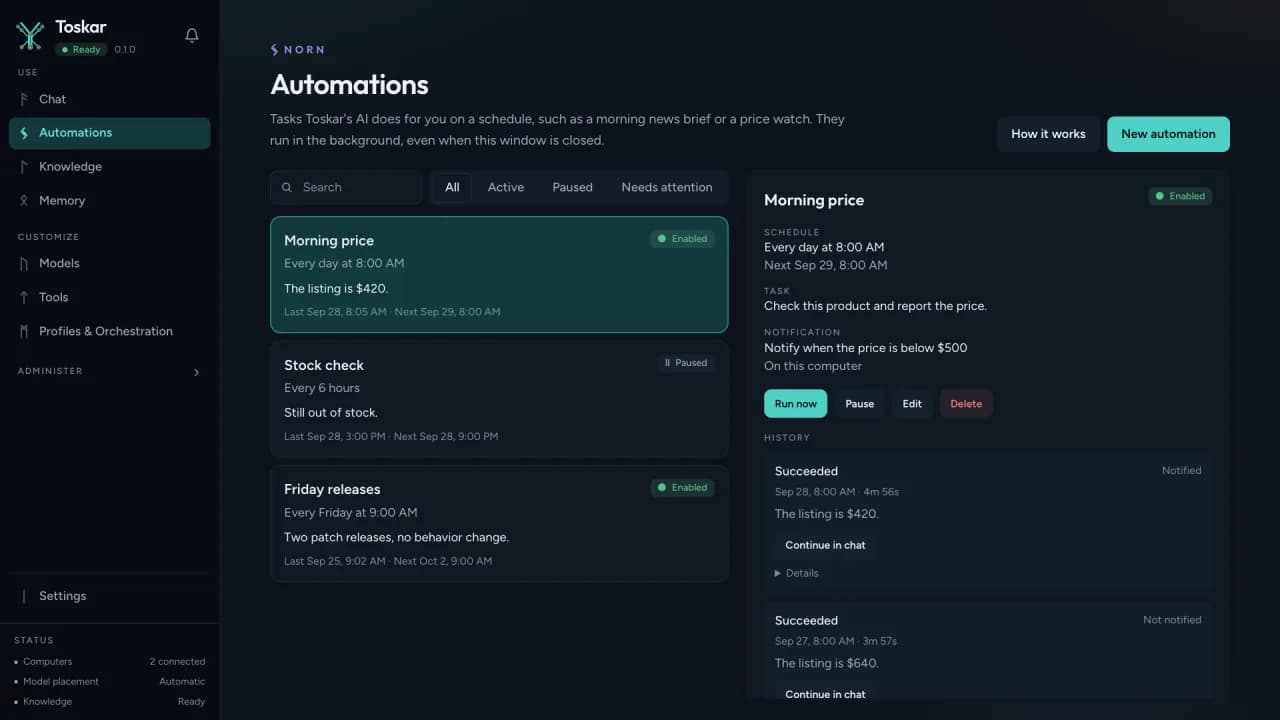
Automations that work in the background
Tasks that run on a schedule, when files change, or when a web page or feed updates. Ask in a chat, such as "every morning at 8, check this price", and it sets it up.
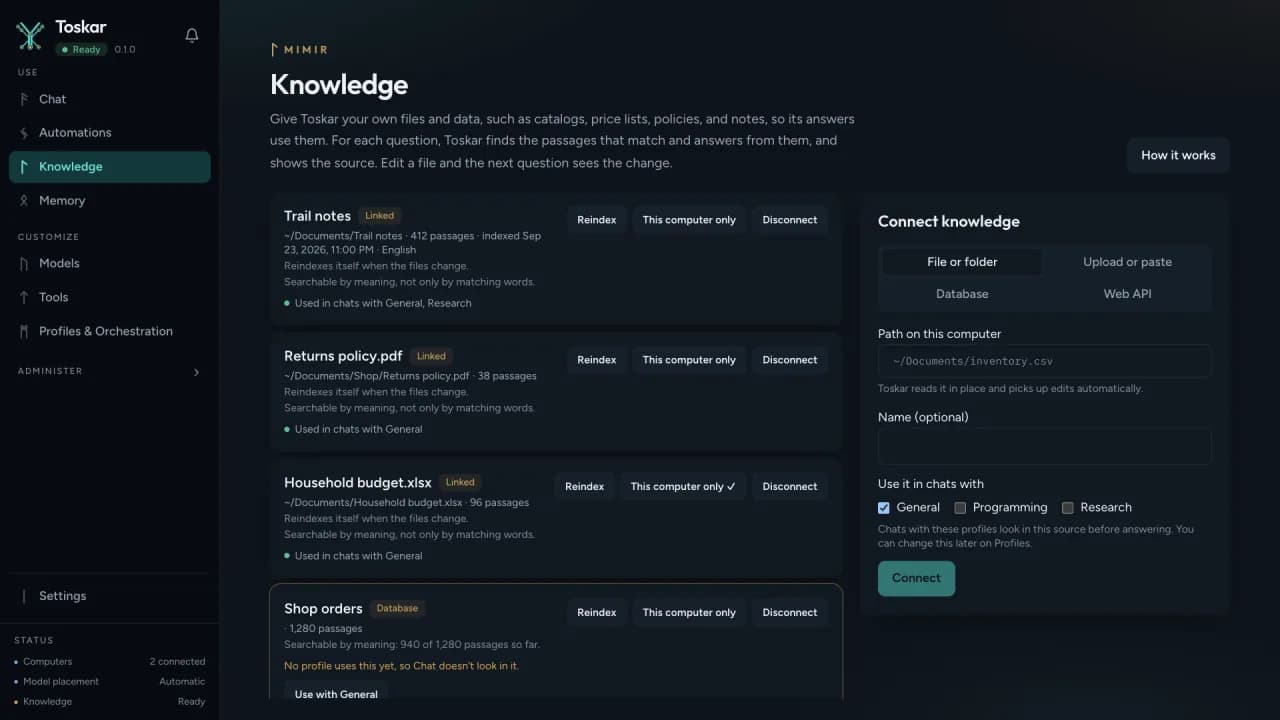
Your documents as knowledge
Connect folders, documents, spreadsheets, and databases. Answers cite the passages they came from.
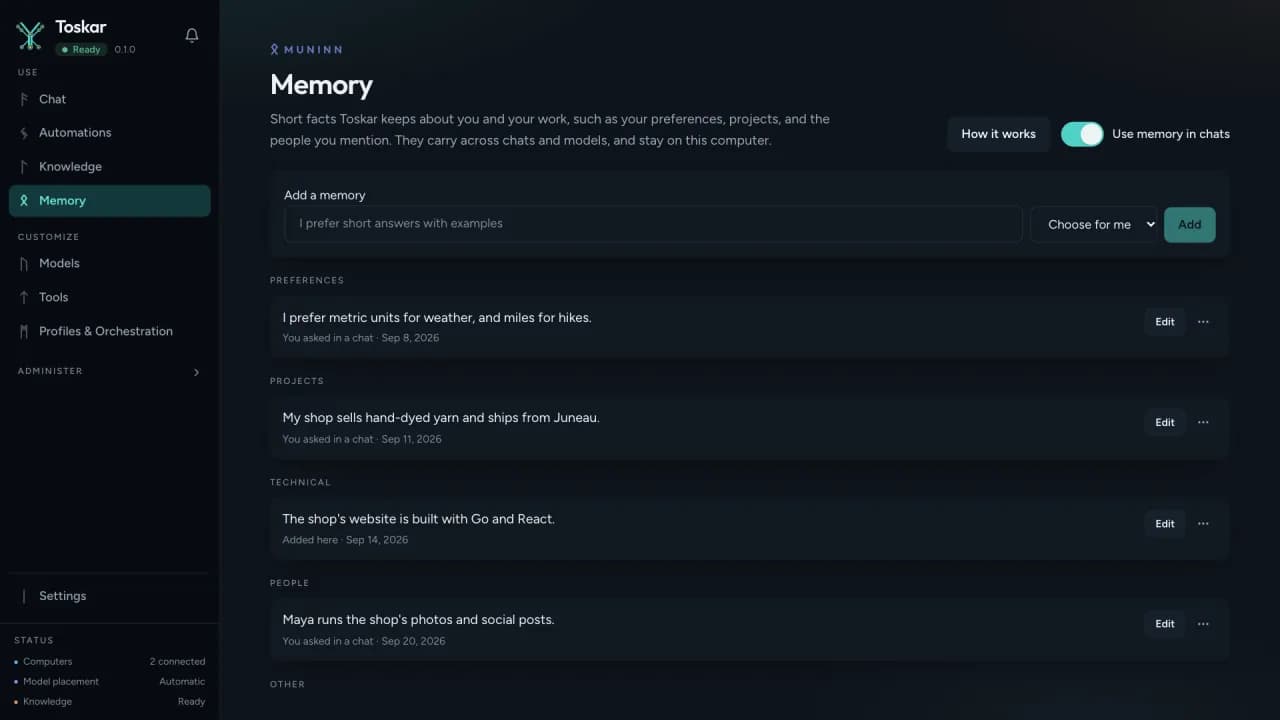
Memory across chats
It keeps what you ask it to remember, such as your preferences and projects, across chats and models. You can edit or remove any of it.
Your other devices
Toskar on your phone, tablet, watch, and TV connects with a short code, and each device keeps its own key.
More than one computer
Pair other Toskar computers on your network, and it uses the machines you have. Traffic between them is encrypted.
People and roles
Everyone in a home or team signs in with their own chats, memories, files, and automations.
Train a specialized AI
Turn your own examples into a small specialized model, trained on Apple silicon or an NVIDIA graphics card, on this computer or a paired one.
Pictures and clips
Make pictures and short videos, and ask about images you attach.
Your other apps
A chat completions API and an MCP server on your computer, protected by keys you create.
How it fits
One system, four parts
Your models run on your computer, with Toskar Core or Toskar Pro. Toskar on your other devices uses them: directly at home, and through a relay when it has to away from home.
Privacy
What stays, and what leaves
Stays with you
- Your chats, documents and knowledge, memories, settings, and models, on your computer.
- The answers: models run on your own hardware, not on a hosted AI service.
- There's no account with us, and no analytics, ads, or crash reporting.
Leaves only when you use it
- A model you choose, downloaded from Hugging Face, and the runtimes it needs.
- Web searches and pages, when you let it search the web.
- What a connected service or tool needs, when you set one up.
- Settings lists everything that left, under What left this computer.
The store editions keep their own models, chats, and settings, separate from Toskar Core on the same computer. The full app privacy policy
Requirements
What you need
- Mac
- A Mac with Apple silicon and macOS 12 or later, from the Mac App Store.
- Windows
- Windows 10 (version 2004) or later on a 64-bit x86 PC, from the Microsoft Store.
- Graphics
- It uses the GPU when it can: Apple silicon on a Mac, and NVIDIA, AMD, or Intel graphics on Windows. Without one, models run on the processor, more slowly.
- Disk and network
- A few gigabytes for the first model, and internet access to download it. After that, chats work offline.
- Linux
- No Pro edition. Install Toskar Core instead.
| Memory | Models that fit well |
|---|---|
| 8 GB | Small models, up to about 3.5 GB, such as Llama 3.2 3B and Qwen 3.5 4B |
| 16 GB | Models up to about 9 GB, such as Qwen 3.5 9B |
| 24 to 32 GB | The 14B models, such as Qwen 2.5 14B |
| 64 GB or more | The 30B models, such as Qwen 3.8 27B and Qwen 2.5 32B |
Toskar checks your computer and labels every model by how well it fits. What can my computer run?
Price
Free to try, then $24.99 once
- Mac App Store: a free download. Start the 14-day trial from the banner in the app, then buy the Unlock, $24.99 once. Family Sharing shares the Unlock with your family group.
- Microsoft Store: $24.99 once, with the Store's 15-day free trial.
- After the trial, what you set up keeps working. Installing models, creating automations, and adding people need the purchase.
- Away from home, your devices can reach Toskar Pro through Toskar's relay, an optional subscription: $4.99 a month or $39.99 a year.
Prices are in US dollars; each store shows the price where you are.
Toskar is open source. Buying Toskar or Toskar Pro pays for our work on it, and keeps Toskar Core free for everyone. The apps are the easy way in, not a paywall.
Questions
- What's the difference between Toskar Pro and Toskar Core?
- Toskar Pro is Toskar Core and a desktop app in one install, from the Mac App Store or the Microsoft Store. Toskar Core is the free, open-source server on its own, for Linux, servers, and anyone who'd rather use a browser.
- What happens when the trial ends?
- Everything you set up keeps working: chatting with your models, your automations, the people you added, knowledge, and memory. Installing a model, creating an automation, and adding a person need the purchase.
- Is there a subscription?
- No. Toskar Pro is a one-time purchase. Access from anywhere, through Toskar's relay, is a separate, optional subscription.
- Is there a Linux edition?
- Not of Toskar Pro. On Linux, install Toskar Core, which has the same engine and a web interface.
- I bought it on the Mac App Store before it was free. Do I pay again?
- No. It stays unlocked, and you won't see a trial or be asked to buy anything.
Try Toskar Pro free
Install it from your computer's store and chat in a few minutes. Then get Toskar on your phone and connect it with a code.